07 - Hyperparameter Tuning
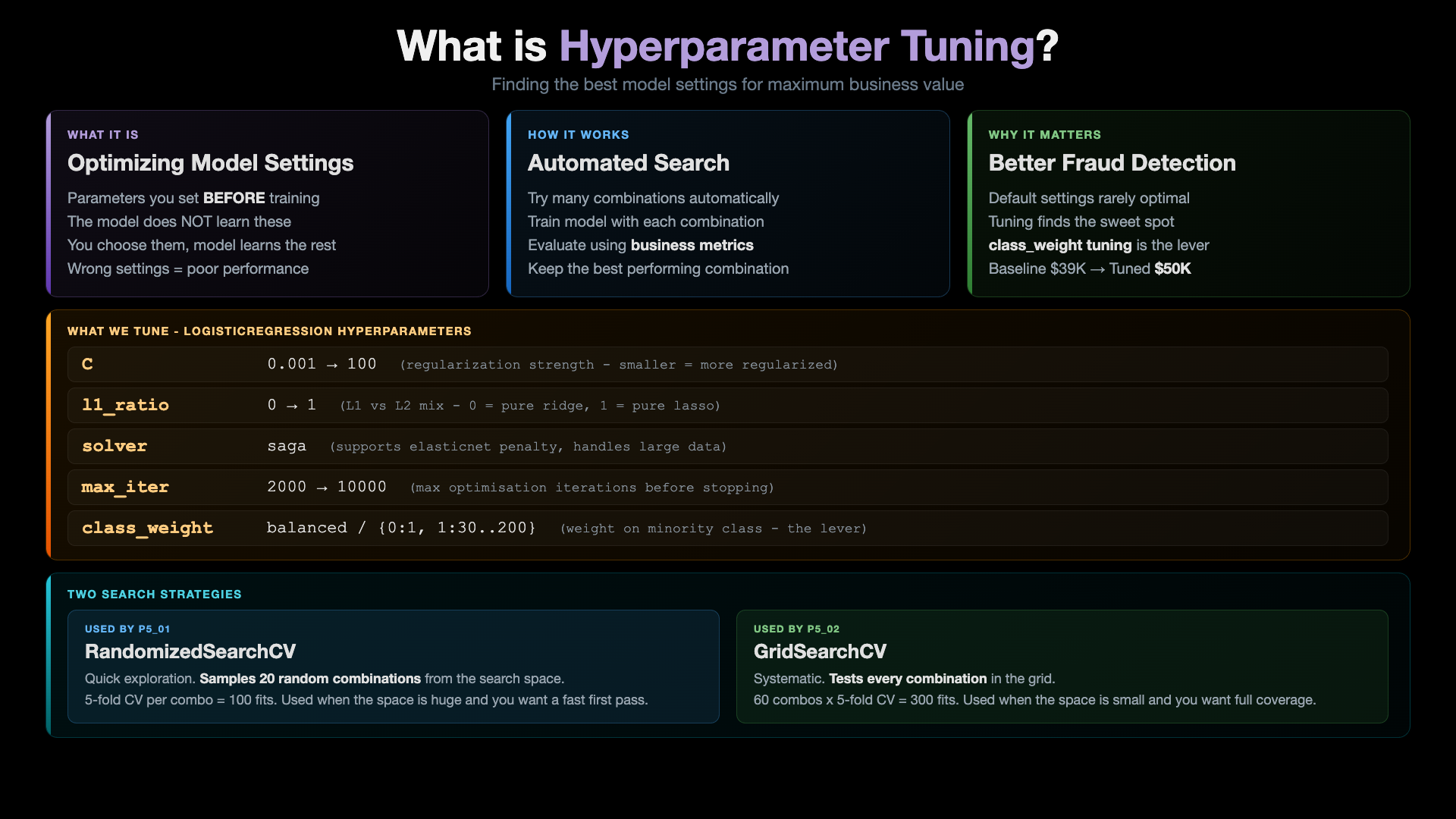
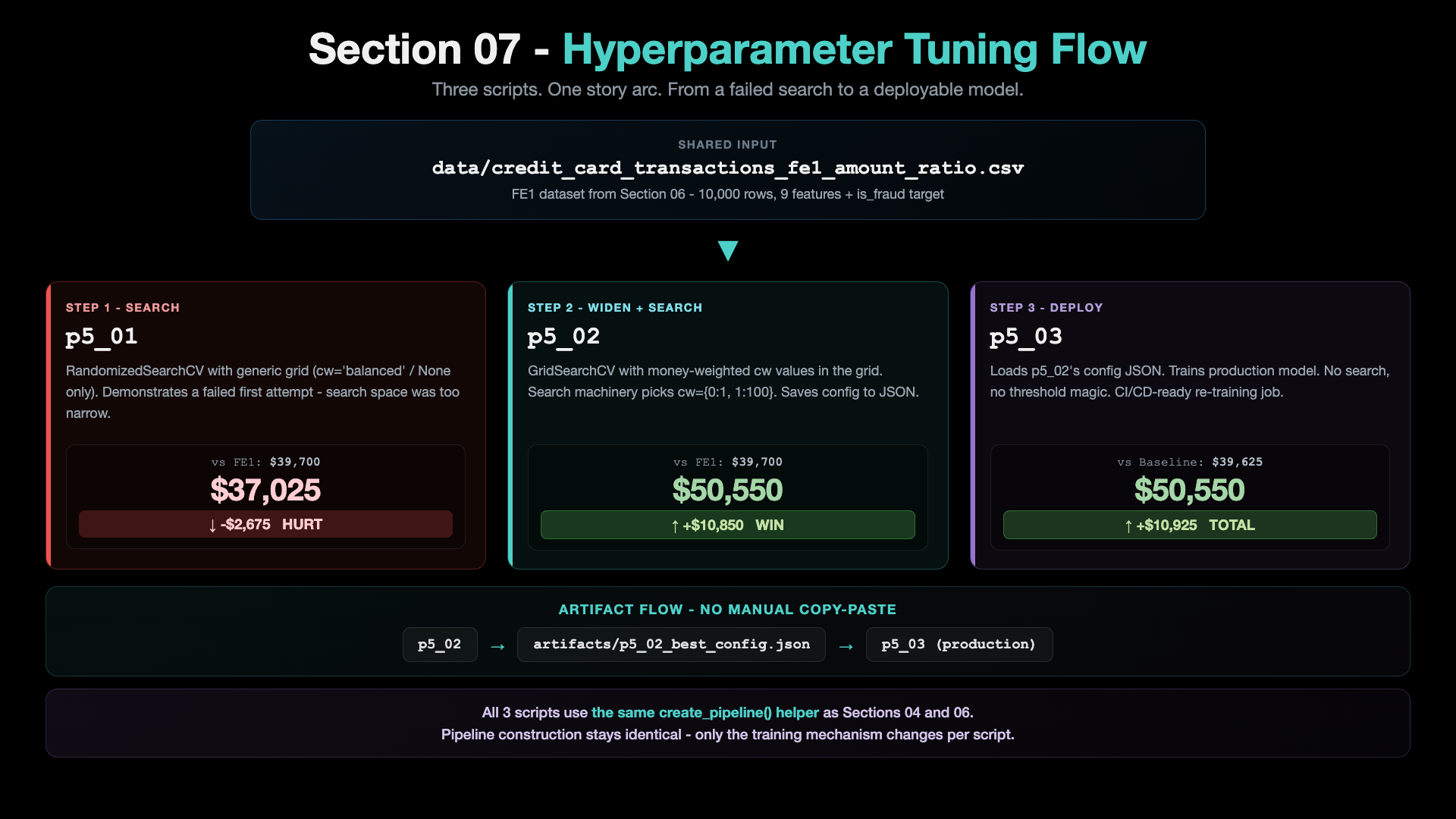
The headline insight from this section: a generic hyperparameter search misses the win. The actual lever is class_weight aligned with the dollar economics of fraud detection. Once we widen the GridSearch grid to include money-weighted class_weight values, the standard search machinery picks them up and lands at +$10,925 over the baseline.
Key Concept: What is Hyperparameter Tuning?
Architecture: Section 07 Flow
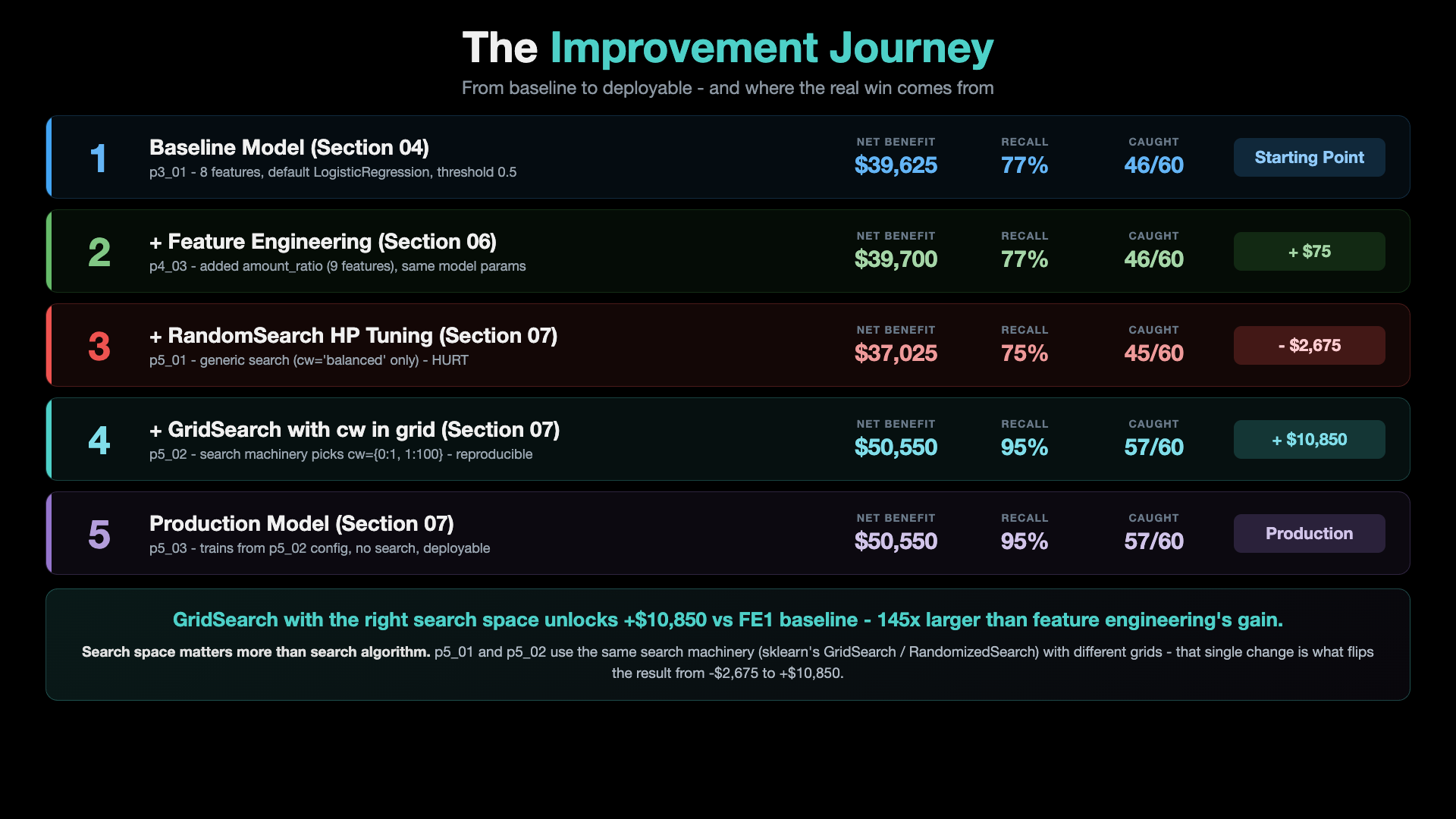
The Improvement Journey
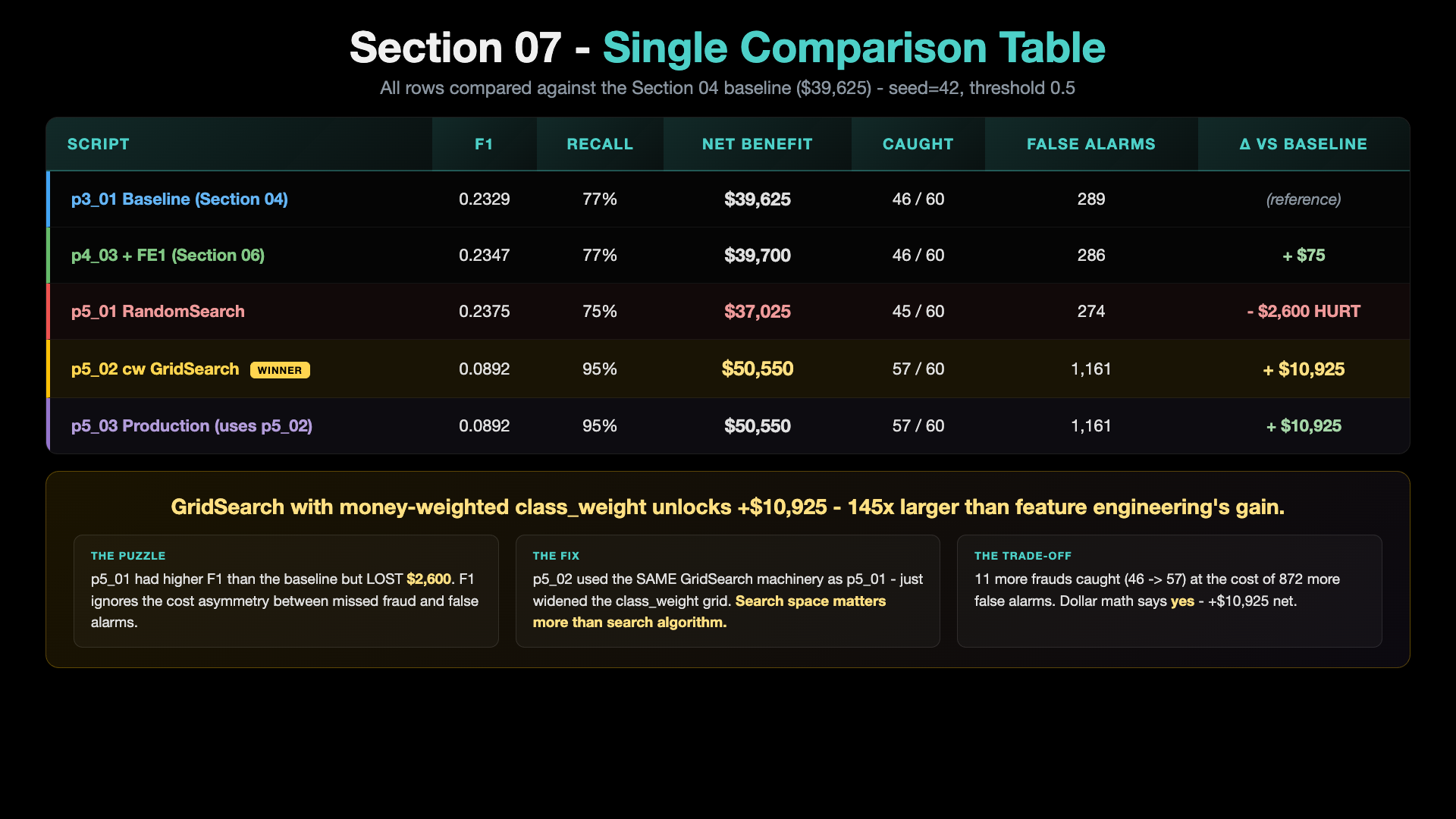
Single Comparison Table
The 3-Script Story Arc
Section 07 is one folder with three p5_* scripts. Each script has its OWN README explaining what it does, how to run it, and what output to expect. Click into any of them:
| # | Script | README | Role |
|---|---|---|---|
| 1 | p5_01_train_hyperparameter_tuning.py | p5_01_readme.md | First-pass HP search with RandomizedSearchCV. Generic search space (cw: ['balanced', None]). Typically does NOT beat FE1. Sets up the puzzle. |
| 2 | p5_02_class_weight_gridsearch.py | p5_02_readme.md | GridSearchCV with money-weighted class_weight in the grid. The standard search machinery finds the winning combo. Produces the production-ready config JSON. |
| 3 | p5_03_train_production_model.py | p5_03_readme.md | Loads p5_02's config JSON. Trains the deployable production model. No search. |
The Single Comparison Table
All 3 scripts compared, plus baseline + FE1 anchor rows. Same data (FE1 CSV), seed=42, default threshold 0.5.
| Script | What it does | F1 | Precision | Recall | Net Benefit | Caught | Missed | False Alarms | Δ vs FE1 ($39,700) |
|---|---|---|---|---|---|---|---|---|---|
| p3_01 baseline (S04) | 8 features, default params, t=0.5 | 0.2329 | 0.137 | 0.767 | $39,625 | 46/60 | 14 | 289 | -$75 |
| p4_03 FE1 (S06) | + amount_ratio (9 features) | 0.2347 | 0.139 | 0.767 | $39,700 | 46/60 | 14 | 286 | (baseline) |
| p5_01 RandomSearch | generic search, cw='balanced' | 0.2375 | 0.141 | 0.750 | $37,025 | 45/60 | 15 | 274 | -$2,675 (HURT) |
| p5_02 cw GridSearch | GridSearch picks cw={0:1, 1:100} | 0.0892 | 0.047 | 0.950 | $50,550 | 57/60 | 3 | 1,161 | +$10,850 |
| p5_03 production | trains from p5_02's config JSON | 0.0892 | 0.047 | 0.950 | $50,550 | 57/60 | 3 | 1,161 | +$10,850 |
Reference numbers from a seed=42 run. Pattern is stable across runs.
Reading the table
- p5_01 HURT the model - generic search space missed the right
class_weightvalues - p5_02 was the WIN - widening the GridSearch grid to include money-weighted
class_weightlands at +$10,850 - p5_03 is the deployable - loads p5_02's config from JSON, trains, saves. CI/CD-friendly.
The lesson is search space matters more than search algorithm. p5_01 and p5_02 use exactly the same GridSearchCV / RandomizedSearchCV machinery - the difference is what values they were allowed to try.
Pre-requisite: Python Environment Setup
# Create conda environment (only once)
conda create -n mlops-env1 python=3.14 -c conda-forge -y

# Activate environment
conda activate mlops-env1

# Install dependencies
cd ccfd-project
pip install -r requirements.txt
All sections in this course use the same
mlops-env1environment. You only need to create it once.
How to Run All 3 Scripts (in order)
# Make sure mlops-env1 is active
conda activate mlops-env1

cd 07_Hyperparameter_Tuning/ccfd-project

# One-time data setup (skip if data/ + fe1 CSV already exist)
python p1_01_generate_initial_dataset.py
python p4_01_feature_engineering_fe1.py

# The 3 p5 scripts - each one's README has details
python p5_01_train_hyperparameter_tuning.py      # ~half a minute to a few minutes
python p5_02_class_weight_gridsearch.py           # ~1-3 minutes (saves config for p5_03)
python p5_03_train_production_model.py            # ~3 seconds (loads p5_02 config + trains)
Next Steps
After Section 07 you have a tuned production model saved at models/p5_03_production/. Section 08 uses this model to serve predictions via a FastAPI endpoint (p5_04) and compare against the baseline inference API from Section 04. A test client (p5_05) hits both APIs with the same payload so you can watch the same request produce different decisions in real time.
Prefer to learn by watching?
The video course builds this whole project with you on screen, step by step.